
ADA Color Contrast Analyzer
Color Compliance Tool

Test Your Site for ADA Compliance With Fonts and Colors
Are your website and educational tools accessible to those who are sight-challenged? Ninja Tropic’s Color Checker is a free tool that determines if your site is compliant with the Americans with Disabilities Act (ADA) and its regulations related to online materials. This tool determines the contrast ratio between your site’s foreground and background colors, and informs you if this contrast is compliant with ADA guidelines.
ADA Contrast Playground
Test foreground and background colors, then compare the live contrast ratio against WCAG AA and AAA requirements.
Body text needs 4.5:1 for AA and 7:1 for AAA. Large text only qualifies at 18pt regular or 14pt bold.
Customize your text preview
Live preview tests
Both checks stay visible at once so your team can validate body text and large text without scrolling through separate cards.
Body Text
AA 4.5:1, AAA 7:1
Inspiring eLearning video and online training animation.
Large Text
AA 3:1, AAA 4.5:1
Inspiring eLearning video and online training animation.
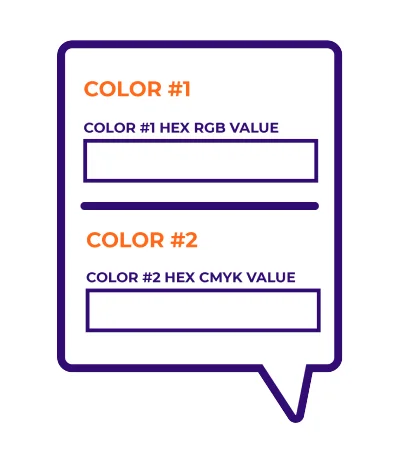
Here’s How the Color Checker Works:
#1 Determine which colors your website/learning materials uses (or will use). The colors are classified using RGB hexadecimal format (for example, #FD3 or #F7DA39).
#2 Select a foreground and background color using the RGB hexadecimal code (or choose a color using the tool’s color picker). To adjust the color, you can use tool’s Lightness slider.
#3 Select your fonts and font sizes.
The Color Checker Will
Then Do the Following:
#1 Determine which colors your website/learning materials uses (or will use). The colors are classified using RGB hexadecimal format (for example, #FD3 or #F7DA39).
#2 Select a foreground and background color using the RGB hexadecimal code (or choose a color using the tool’s color picker). To adjust the color, you can use tool’s Lightness slider.
#3 Select your fonts and font sizes.
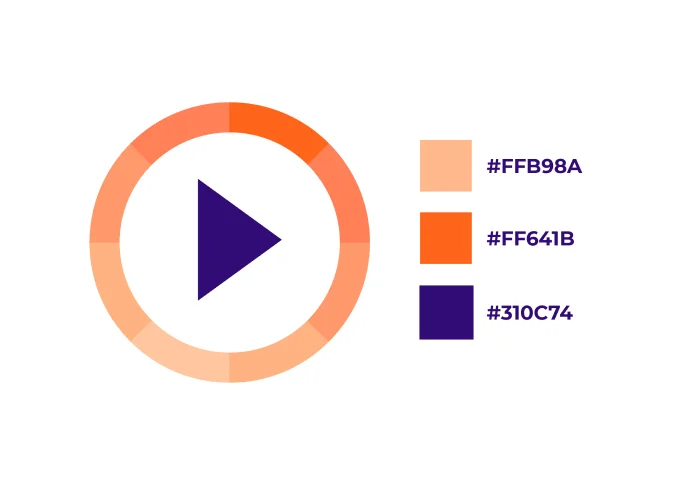
Check Your Color Contrast for Accessibility Compliance
Text and captions should meet the standard contrast ratio of 4.5:1 or greater.* Learn more on the Web Accessibility Initiative (WAI) webpage explaining what contrast ratio checker results mean.
How did you do? If your combination is not compliant, then you can continue adjusting the colors and fonts until the tool indicates that you have created a combination that is acceptable. Use these fonts and colors on your next website or for your online learning materials.
Benefits of the ADA Color Checker Tool
Why use the tool checker? ADA and WCAG compliance offers the following:

#1. Proof of Commitment to an Important Cause
By demonstrating your commitment to inclusive online learning materials, you are providing a compassionate support to an appreciative group of sight-challenged learners. Groups who benefit from this include those who are color blind, have a limited color range, or have moderately low vision.
#2. Reach a Broader Audience
By demonstrating your commitment to inclusive online learning materials, you are providing a compassionate support to an appreciative group of sight-challenged learners. Groups who benefit from this include those who are color blind, have a limited color range, or have moderately low vision.
#3. A Modern Approach
By demonstrating your commitment to inclusive online learning materials, you are providing a compassionate support to an appreciative group of sight-challenged learners. Groups who benefit from this include those who are color blind, have a limited color range, or have moderately low vision.
Learn more about ADA color compliance with the following resources:
Blogs:
USING 508 ACCESSIBILITY TOOLS FOR COLOR CONTRAST IN ELEARNING VIDEOS
USING A 508 COMPLIANCE CHECKLIST FOR VIDEO LEARNING
References:
WCAG Color Contrast Checker
UNDERSTANDING – WCAG20
* For quick reference: WCAG 2.0 level AA requires a minimum contrast ratio of 4.5:1 for normal text and 3:1 for large text. WCAG 2.1 requires a minimum contrast ratio of 3:1 for graphics and user interface components (for example, form input borders). WCAG Level AAA requires a minimum contrast ratio of 7:1 for normal text and 4.5:1 for large text.
Get a FREE Consultation With Ninja Tropic!
Are you aware of the sheer power of engaging eLearning solutions but not sure where to start? Schedule a free 30-minute consultation with a Ninja Tropic eLearning expert to analyze your organization’s content objectives and map out the interactive blueprint to achieve them.