
How do association L&D teams use generative AI to accelerate member microlearning?
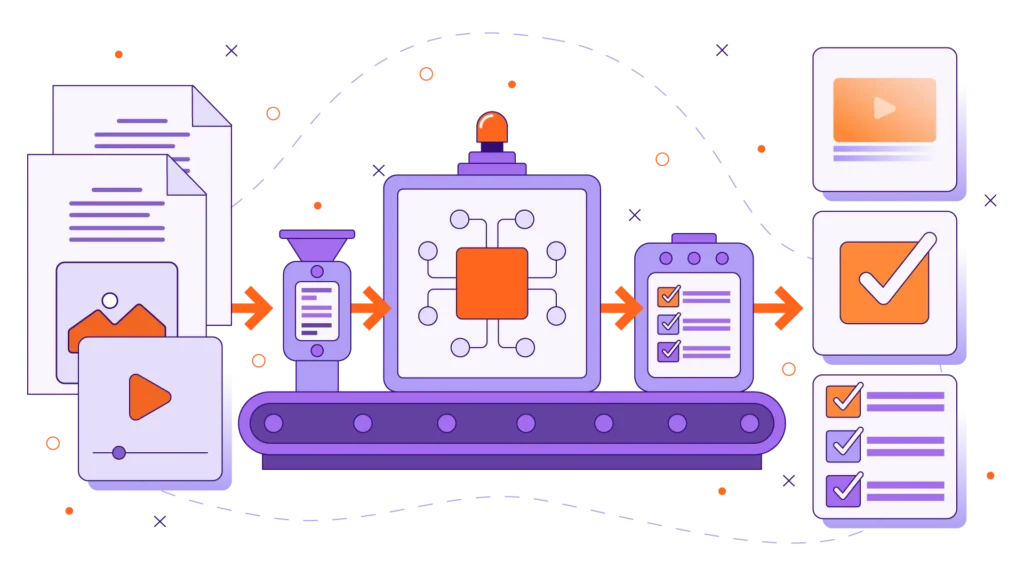
Association L&D teams use generative AI to quickly break down long-form content—such as annual conference recordings, journal articles, and whitepapers—into short, single-concept microlearning assets. By applying field-tested prompting frameworks, instructional designers can generate 60-second video scripts, scenario-based decision trees, audio micro-lessons, and application-focused knowledge checks in minutes, not weeks. This AI-driven workflow drastically reduces content production bottlenecks, lowers development costs, and delivers timely, bite-sized education that drives member engagement and non-dues revenue.
Professional and trade associations sit on absolute goldmines of educational content. Your organization likely produces hundreds of hours of webinars, extensive industry whitepapers, research journals, and keynote sessions every year. Yet, most association members are busy professionals who simply do not have the time to sit through a 60-minute webinar recording just to find one specific answer.
The demand for short-form, mobile-friendly microlearning has never been higher, but traditional instructional design pipelines are too slow to keep pace. Crafting scripts, storyboards, and assessments from scratch for every minor protocol or industry update quickly burns out internal L&D teams.
The solution isn’t working harder—it is prompting smarter. By leveraging generative AI models like ChatGPT, Claude, or Copilot with association-specific prompt engineering, you can turn your legacy assets into high-impact microlearning series overnight.
Below, we reveal the exact framework for generating production-ready learning assets, along with a free, downloadable tool to transform your association’s educational pipeline. To see how we build high-converting learning environments, explore our custom eLearning solutions.
Claim Your Free Download Here!
The RCIC Framework: The Secret to High-Quality AI Prompts
If you have ever typed a basic prompt into ChatGPT like “Write a training script about our new industry policy” and received a generic, fluff-filled output, the issue wasn’t the AI—it was the prompt structure.
To get publication-ready results tailored for voluntary adult learners, association instructional designers must use the RCIC Framework:
- R – Role: Tell the AI exactly who it is acting as (e.g., “Senior Association Instructional Designer” or “Assessment Specialist for a professional credentialing board”).
- C – Context: Provide details about your association, target member roles, industry nuances, and source material.
- I – Instruction: Specify the exact deliverable, headers, script formatting, and pedagogical structure required.
- C – Constraints: Set explicit parameters for tone, reading level, length, word count, and strict formatting guidelines.
By establishing these guardrails, AI stops giving generic advice and starts acting as an expert co-creator for your L&D department.
What You Can Build Using AI-Driven Microlearning Prompts
When you pair the right AI prompt with your existing association content, you can produce a full suite of learning assets in a fraction of the time.
1. Source Mining (Whitepapers to Microlearning)
Instead of letting a 30-page research paper gather dust in your member portal, feed excerpts into an AI prompt to outline a 4-part microlearning series complete with action-oriented titles, primary learning objectives, core need-to-know takeaways, and recommended visual formats.
2. Dual-Column Video Scripts
Generate complete 60-second explainer video scripts formatted as Markdown tables featuring time markers, visual/animation cues, voiceover audio, and on-screen text. You can take these outputs directly into your video production workflow. Check out our video production portfolio to see how custom visual assets bring AI scripts to life.
3. Scenario-Based Decision Trees
Adult learners retain information best when faced with realistic choices. AI can rapidly construct 3-branch decision scenarios featuring a high-stakes workplace dilemma, plausible choices, and detailed feedback explaining the consequences of each option based on industry standards.
4. Application-Level Knowledge Checks
Move beyond simple recall quizzes. Use AI to write scenario-based multiple-choice items aligned with Bloom’s Taxonomy Level 3 (Apply) or Level 4 (Analyze), complete with detailed rationales for both correct answers and plausible distractors.

Download the Free “AI Prompt Library for Association L&D”
Why spend months experimenting with prompt engineering when we have already done the heavy lifting for you?
We created The AI Prompt Library for Association L&D—a comprehensive, field-tested toolkit designed specifically for association L&D leaders, education directors, and instructional designers.
What’s Inside Your Free Download:
- Source Mining & Content Adaptation: Copy-and-paste prompts to convert whitepapers, webinars, and articles into multi-part microlearning courses.
- Video & Audio Script Generators: Templates for 60-second explainer videos, audio-first podcast lessons, and narrative “Myth vs. Reality” scripts.
- Interactive Storyboarding: Prompts for building realistic 3-branch scenario decision trees and relatable member case studies.
- Assessment & QA Frameworks: Scenario-based question generators and an AI L&D Quality Assurance Editor prompt to check for cognitive overload, tone, and accessibility.
- Image Generation Prompts: Detailed visual prompts ready to paste into Midjourney or DALL-E for visual asset creation.
Claim Your Free Download Here!
Access the complete, copy-and-paste Markdown prompt library directly below to start streamlining your content production today!