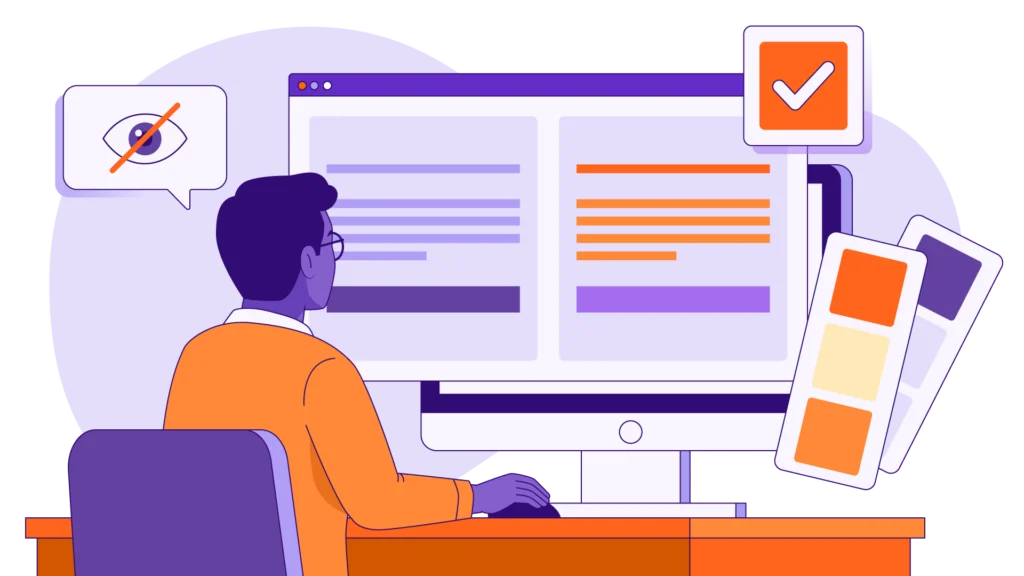
What does ADA compliance actually mean in the context of corporate eLearning? It’s not simply about adding closed captions to your videos. The entire digital experience has to be easy to navigate and easy to understand for people with visual, auditory, motor, and cognitive disabilities. To create truly accessible eLearning, you need to ensure there is sufficient color contrast, that screen readers work properly and that full keyboard navigation is possible. Going beyond the ‘add captions’ approach and actually designing for accessibility is what will see L&D and procurement teams get their organization out of the legal hot water and ensure that all employees have equal access to the training.
There’s a very common misconception in the corporate training world that if you add closed captions to a video, then your course is fully accessible. Captions are obviously a useful thing for the hard of hearing, but they don’t assist at all with people who are visually impaired, people who are color blind, or people who can’t use a mouse.
When procurement and compliance folks are looking at a vendor for Section 508 training or ADA compliance, they need to look at it beyond the transcript. Accessible design needs to be in from day one; it can’t be bolted on at the end. If your learner can’t use a keyboard to do an interactive quiz, if the text is illegible to a colour blind person, etc., then the training isn’t compliant. This guide will go into the practical requirements for digital accessibility without any of the legal stuff. For more information on how we create accessible and inclusive learning, check out our bespoke eLearning sefrvices.

The Core Elements of ADA Compliant eLearning
ADA compliant eLearning is eLearning that follows the Web Content Accessibility Guidelines (WCAG). When you’re looking at your training library or checking out a vendor’s offering, make sure your courses are compliant with these four key requirements.
1. Complete Keyboard Navigation
Some users with a motor disability won’t be able to use a mouse and will be reliant on the keyboard to navigate the digital content. Every interactive element in your training (i.e., every “Next” button, every drag-and-drop activity, every video control) must be operable via the Tab and Enter keys. If a user cannot use the keyboard to submit their answers or to progress through the course, then the course is not compliant.
2. Screen Reader Compatibility (Alt Text and Focus Order)
Visually impaired users will be using screen reader software (JAWS or NVDA, for example) to have the on-screen text read out to them. Your eLearning tool needs to have a clear focus order so that the screen reader reads the title first, then the main body text, and then the navigation buttons. All of your important images, charts, and graphs also need to have descriptive Alt Text so that the screen reader can describe what they are.
3. Visual Accessibility (Color Contrast and Font Legibility)
You shouldn’t rely on color alone to convey information. Take the example of a quiz where the correct answer is shown in green and the incorrect answer in red. A person with color blindness may not be able to distinguish between the two. The contrast between text and background also has to meet certain standards in order to be readable by someone with low vision.
4. Auditory and Cognitive Support
In addition to closed captions, all multimedia should have downloadable transcripts. For cognitive accessibility, no courses should use flashing animations (these can trigger seizures), and learners should be able to pause the course and/or extend their quiz time to help avoid cognitive overload.
ADA Compliance Checklist for L&D Buyers
When you’re looking at your next training program, use this practical checklist to see if the provider can actually design accessible training:

Practical Tools: The Ninja Tropic ADA Color Checker
Getting your brand colors to meet the WCAG contrast standards can sound rather technical, but it’s actually one of the simplest things to fix at the storyboarding stage. To make it any easier, we’ve created the Ninja Tropic ADA Color tool.
This free tool allows instructional designers to input their brand’s color codes (e.g., blue text on a white background) to instantly check whether the color combination meets the 4.5:1 contrast ratio required for standard text. It’s a good idea to use it prior to any media production as it will prevent you having to go right back and redesign at a later stage. It ensures your text is both compliant and readable. You can also have a look at our video production portfolio to see what high-contrast, accessible design looks like.
Securing Your Accessible Training Ecosystem
Accessibility doesn’t constrain creativity at all. It actually helps to make things clearer. If your training is easy to read, easy to navigate, and easy to hear, then all staff will be able to remember and understand it better regardless of ability.
If you’re in a position where you need to provide Section 508 training or indeed want to ensure that your staff training is genuinely inclusive, then you need a partner who builds accessibility into every course they create. At Ninja Tropic, we produce high-quality, fully compliant courses which are just as visually engaging as any other course. Get in touch via our Contact Page to discuss your next inclusive learning project.

Frequently Asked Questions (FAQs)
What makes an eLearning course ADA compliant?
An ADA compliant eLearning course ensures that all of your digital content is accessible to people with disabilities. This involves providing closed captions for your videos, making the course fully navigable using a keyboard, setting up the backend to be compatible with screen readers and ensuring that there is sufficient color contrast so that all text is readable.
Is Section 508 training any different from ADA compliance?
Section 508 is a federal law that requires that U.S. federal agencies and organizations that receive federal funding make their electronic and information technology accessible to people with disabilities. ADA compliance covers a broader range of public and commercial spaces, but both use the Web Content Accessibility Guidelines (WCAG) as the basis for defining accessible digital design.
Why is accessible training design important for employees without disabilities?
Accessible training design helps everyone. Good fonts, good color contrast, easy navigation, and closed captions (which many people will be using in a noisy environment) all make it a lot less stressful to learn. When the training is easier to follow, people understand and remember more.